
By the Dropship Stair team. Last reviewed: November 2026.
Key takeaways
- Shopify checkout optimization is the work of removing friction between the cart and the order confirmation, so more shoppers who already decided to buy actually finish paying.
- Most lost checkouts come from surprises, like shipping costs, forced accounts, or slow pages, not from shoppers changing their minds about the product.
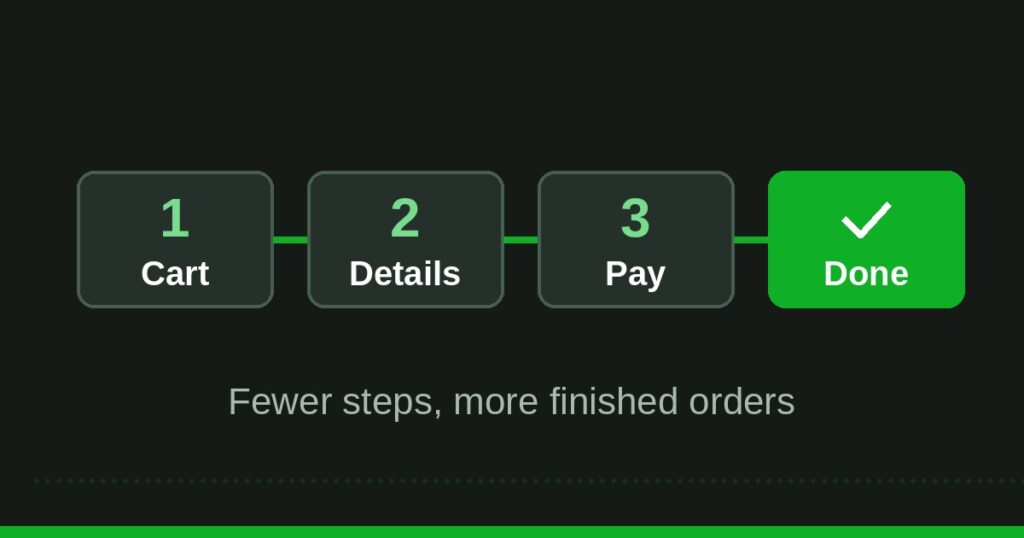
- Show the full cost early, offer guest checkout, and keep the checkout to as few steps as possible, because every extra step loses buyers.
- Test one fix at a time and measure the checkout completion rate, so you know which change earned the sale.
Shopify checkout optimization is about finishing sales you already earned. Fix shipping surprises, guest checkout, and slow pages first, then measure the checkout completion rate after each change, because one fix at a time shows you exactly what worked for your store.
A shopper who reaches your checkout has already done the hard part: they found your store, liked a product, and added it to the cart. When they leave at checkout, the product did not fail. The checkout did. Most stores lose checkouts to small, fixable problems: a shipping cost that appears too late, a forced account signup, or a page that loads slowly on a phone.
What is Shopify checkout optimization?
Shopify checkout optimization means improving the steps between the cart and the order confirmation page so that more shoppers complete their purchase. The number to watch is the checkout completion rate: orders divided by checkouts started. Start by opening Shopify Analytics, then the checkout funnel, and write down where shoppers drop off.
The number to watch is the checkout completion rate: orders divided by checkouts started. If one hundred shoppers start checkout and sixty finish, your completion rate is sixty percent, and the other forty are the opportunity. A small rise in that rate is worth more than extra traffic, because it turns visitors you already paid for into buyers. Start by opening Shopify Analytics, then Online store, then the checkout funnel, and write down where shoppers drop off. That one report tells you which fix to do first, instead of guessing.
Why do shoppers abandon Shopify checkouts?
Shoppers abandon checkouts for reasons that feel small to a store owner and large to a buyer. The most common reason is cost surprise: the total at checkout is higher than the price they saw on the product page. The second reason is forced account creation, and the third is a missing payment option, like a buyer who wants Apple Pay or PayPal and finds only a card form.
Trust also matters at checkout. A buyer who has never ordered from you looks for clear contact details, a returns policy they can read, secure payment badges, and reviews from real buyers. If the checkout page hides those signals, or if the shipping time is vague, the buyer leaves to think about it and often never comes back.
Fix 1: show the full cost before checkout
Show shipping and taxes as early as possible, ideally on the product page or in the cart, so the checkout total never surprises anyone. Use a shipping calculator in the cart, or offer free shipping over a clear order value and show a progress bar toward it.
Fix 2: turn on guest checkout
Let buyers check out without creating an account. In Shopify, go to Settings, then Checkout, and set customer accounts to optional, so shoppers can buy as guests and create an account later if they want to. Forcing an account is one of the fastest ways to lose a first-time buyer, because it adds a password, an email confirmation, and a reason to leave. Guest checkout costs you nothing and keeps the path to payment short. You can still offer account creation on the order confirmation page, when the buyer is happy and the sale is done.
Fix 3: offer the payment methods buyers actually use
Turn on Shop Pay, PayPal, Apple Pay, and Google Pay alongside cards, so buyers can pay with the method they already trust. Shop Pay is especially useful, because it fills in the buyer’s saved details and finishes checkout in a few taps. Test each method with a real checkout on your phone.
Fix 4: shorten the checkout to as few steps as possible
Remove every field and step that is not needed to ship the order. Ask for the email and shipping address once, do not ask for the same detail twice, and do not add extra steps like surveys or upsell pages before payment. Shopify’s one page checkout already keeps this short, so check that you have not added apps that insert extra steps. Every field you remove is a small rise in completion, and every step you add is a place for a buyer to leave. If a field is nice to have but not needed, move it to the confirmation page or drop it entirely.
Fix 5: make checkout fast on phones
Most Shopify checkouts happen on a phone, so test yours on a real phone, not only on a desktop. Open the product page, add to cart, and complete a test order, and time each step. If images load slowly, compress them before upload and remove heavy apps from product pages.
Fix 6: add trust signals where buyers decide
Add clear trust signals to the checkout and the pages around it: a short returns policy, a delivery time estimate, a contact email, and secure payment badges. Show reviews near the product and the cart, not hidden on a separate page, because buyers decide at the product page whether the store is real.
Fix 7: fix errors before buyers hit them
Test the checkout with the mistakes buyers make: a wrong postcode, a card with a typo, an address the system does not recognize. Clear error messages tell the buyer exactly what to fix, in plain words, next to the field that needs it. Vague errors like payment failed with no reason make buyers leave and try another store. Also check that discount codes work and that the code field is easy to find, because a buyer who cannot apply a code they saw in an ad will often abandon the order instead of paying full price. Run these tests after every app install or theme change, because those are the moments checkouts break.
Fix 8: recover abandoned checkouts with email and SMS
Some shoppers will still leave, so set up recovery. Shopify can send an abandoned checkout email automatically, so turn it on in Settings, then Marketing, then Automations. Send the first email within an hour, while the buyer still remembers the product, and a second one the next day with help, not pressure. Avoid heavy discounts in recovery emails, because they teach buyers to abandon on purpose.
Fix 9: measure, then test one change at a time
After each fix, watch the checkout completion rate for at least a week before you judge it. Change one thing at a time, so you know which fix moved the number. If you change five things at once and sales rise, you will not know which one to keep. Keep a simple log: the date, the fix, the completion rate before, and the rate after. Over a month, that log shows you the fixes that paid for themselves and the ones that made no difference. Small stores often find that two or three fixes do most of the work, and the rest can wait.
What should a good Shopify checkout look like?
A good Shopify checkout is short, clear, and honest. The buyer sees the product, the full price including shipping, the delivery time, and the payment options, all on one screen or in a few short steps. There is no forced account, no surprise fee, and no field that asks for information twice. The page loads fast on a phone, the error messages are clear, and the buyer can reach a real person if something goes wrong.
| Checkout step | What good looks like | What loses sales |
|---|---|---|
| Cart | Full price shown, shipping estimate visible | Costs appear only at payment |
| Customer details | Guest checkout, email and address once | Forced account, repeated fields |
| Shipping | Clear options with delivery days | Vague times, one slow option |
| Payment | Cards, Shop Pay, PayPal, wallets | Card only, wallet missing |
| Confirmation | Order summary, tracking, next steps | Blank page, no confirmation email |
Use the table as a quick audit. Open your store on your phone, walk through each row as a buyer, and note every place where your checkout looks like the right hand column. Fix those rows first, in the order of the nine fixes above, and retest after each change.
How do you test checkout changes without losing sales?
Test checkout changes the safe way: make the change, then place a real test order yourself on a phone and on a desktop, using a discount code for the full amount if needed, and refund it after. Check that the order, the confirmation email, and the tracking message all arrive correctly. Then watch the numbers for a week, comparing the checkout completion rate with the week before, at similar traffic levels. A change that lifts completion by a few points is a win worth keeping. A change that drops it should be undone the same day, not left to run.
Do not test during a big sale, because the traffic is different and the numbers will mislead you. For a full picture, read our guide on Shopify store conversion rate and our guide on best products to dropship.
Frequently asked questions
What is a good checkout completion rate on Shopify?
Rates vary by niche, price, and traffic source, so compare your store with itself over time, not with a single industry number. A steady rise after a fix matters more than the starting point. Track orders divided by checkouts started each week, and judge each change against that trend.
Should I force customers to create an account at checkout?
No, let buyers check out as guests and offer account creation after the order, when they are happy and the sale is done. Forced accounts add friction and lose first time buyers who do not want another password for a store they may use once.
Does Shop Pay really help checkout completion?
Shop Pay helps because it fills in saved buyer details and finishes checkout in a few taps, which matters most on phones. Turn it on alongside cards and PayPal, test it with a real order, and keep it if your completion rate rises after you enable it.
How do I reduce abandoned checkouts without discounts?
Fix the causes first: show the full cost early, offer guest checkout, add trusted payment methods, and send a helpful recovery email within an hour. Discounts can recover some orders, but they also teach buyers to abandon on purpose, so use them rarely.
How long does Shopify checkout optimization take?
The nine fixes in this guide take about an afternoon to apply, but measuring them takes longer. Give each change at least a week of normal traffic before you judge it, and change one thing at a time so you know which fix earned the sale.
Checkout optimization is the cheapest growth most Shopify stores have, because it turns shoppers who already decided to buy into orders. Show the full cost early, let buyers check out as guests, and offer the payment methods they trust. Then measure the completion rate after each change and keep the fixes that work.
Sources: the Dropship Stair guides linked in this article, and Shopify checkout settings checked during research in November 2026.