
By the Dropship Stair team. Last reviewed: November 2026.
Key takeaways
- A flash sale is a short, time-limited discount on selected products, built to create urgency and move stock fast.
- Learning how to run a Shopify flash sale starts with the margin: pick the discount only after you know what each order actually earns.
- Use Shopify’s built-in discount codes for the offer and a countdown timer app like Hurrify to make the deadline visible.
- Promote the sale before it starts, not after, because most flash sale orders land in the first hours.
Learning how to run a Shopify flash sale is simple: pick a few products, set a discount that protects your margin, create the code in Shopify, add a countdown timer, and promote it hard before launch. Setup takes a day.
What is a flash sale, and when should you run one?
A flash sale is a short discount with a hard end time. Usually a few hours to two days. On a small set of products. And the short window is the point. Buyers who would normally wait decide now. Why? Waiting means paying full price. That urgency is the only thing that separates a flash sale from a normal sale. So if the deadline is vague, the sale is not a flash sale at all. It is just a sale with a fancy name.
Run one when you have a clear reason. Clearing slow stock before a season change. Launching a new product. Winning back lapsed buyers. Lifting a slow week. But do not run one every week. Buyers learn fast, and a store that is always on sale trains shoppers to never pay full price. Two or three flash sales a quarter is plenty for most stores. And each one should have a different reason, so regular buyers do not get bored of the same offer.
How to run a Shopify flash sale: the 7 steps
Follow these seven steps in order. The thinking in steps one and two matters more than the setup, because a badly priced sale loses money faster than a badly promoted one.
Step 1: Pick the goal and the products
Decide what the sale must do before you pick a single product. Clearing stock needs deep discounts on slow items. Winning back buyers needs a broad offer on popular items. A launch needs a discount on the new product only. Then pick five to fifteen products that fit the goal, and leave your best sellers at full price unless the goal needs them. A small, focused sale is easier to promote. And easier to fulfill than a storewide event.
Step 2: Set the discount and protect the margin
Work out the margin before you set the discount. Not after the sale ends. Take the sale price. Subtract the product cost, the payment fee, the shipping cost, and the app costs. Check what is left. A 30 percent discount on a product with a 40 percent margin leaves almost nothing, and a refund wipes it out completely. A 15 to 20 percent discount is a safer starting point for most stores, and a buy-one-get-one deal can protect margin better than a straight percentage cut. Our guide to Shopify discount strategy shows how to price offers without training buyers to wait for sales.
Step 3: Set the dates and the hard end time
Pick a start and end time and write them down before you build anything. A 24 to 48 hour window works best. Long enough for email and social posts to reach buyers. Short enough that the deadline feels real. Avoid ending at midnight, because buyers in other time zones will miss it or get confused. End at a clear time, such as 9 PM in your main market, and put that exact time in every message. When the timer hits zero, the sale ends. Extending it teaches buyers that your deadlines are fake.
Step 4: Create the discount in Shopify
Open your Shopify admin, go to Discounts, and create the discount code or automatic discount. Use a code buyers type at checkout when you want to track who used it. Or an automatic discount when you want zero friction. Set the discount to apply only to the products you picked, add a usage limit if you need one, and set the same start and end dates you chose in step three. Test the code yourself with a test order before you announce anything. Because a code that does not work on launch morning is the fastest way to burn trust.
Step 5: Add a countdown timer buyers can see
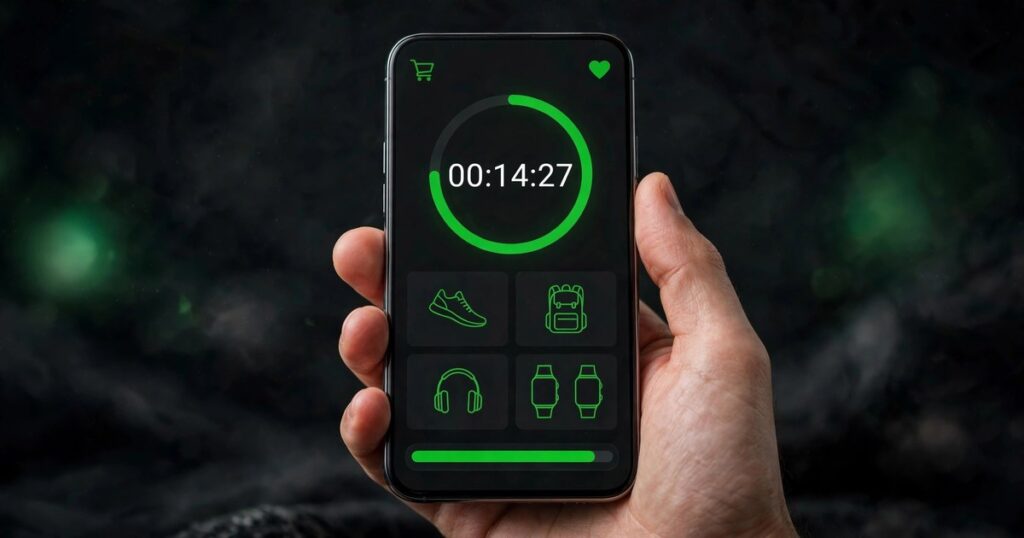
A deadline buyers cannot see is a deadline they will ignore. Add a countdown timer to the homepage banner, the product pages in the sale, and the cart, so the remaining time is visible wherever the buyer looks. Hurrify is a popular timer app on the Shopify App Store, with plans from $4.99 a month, and it adds cart and checkout timers with holiday presets. Keep the timer honest: it must show the real end time from step three, and it must stop when the sale ends. A timer that resets every visit is a dark pattern. And buyers notice.
Step 6: Promote the sale before it starts
Most flash sale orders land in the first few hours. So promotion must happen before the sale opens, not after. Send an email to past buyers the day before, with the exact discount and the exact end time. Post on your social channels the same day, and add a banner to the homepage. If you run ads, send them to a collection page with only the sale products. Not to the homepage. Because every extra click costs orders. Our guide to holiday sales for Shopify stores covers the same promotion rhythm for bigger seasonal events.
Step 7: Watch stock, then end it cleanly
Check stock and orders while the sale runs. If a product sells out, remove it from the sale pages at once. Why? Selling what you do not have creates refunds and angry emails. When the timer ends, turn off the discount code, remove the timer and the banners, and send a short thank-you email to buyers. Then look at the numbers: orders, revenue, margin per order, and how many buyers were new. That review decides whether the next sale should be bigger, smaller, or skipped entirely.
What types of flash sale offers work best?
The offer type matters as much as the discount size. The table below compares the four offers most Shopify stores use, so you can pick the one that fits your goal and your margins.
| Offer type | How it works | Best for | Watch out for |
|---|---|---|---|
| Percentage off | 20 percent off selected products | Simple, broad sales | Thin margins on low-priced items |
| Fixed amount off | $10 off orders over $50 | Lifting average order value | Buyers gaming the threshold |
| Buy one, get one | Buy one, get the second half price | Clearing stock of pairs | Confusing rules slow checkout |
| Free shipping | Free shipping for the sale window | Stores with high shipping costs | Heavy items eat the margin |
Percentage off is the easiest to explain and the fastest to set up. Which is why it suits a first flash sale. Fixed amount off works better when you want buyers to add one more item to reach the threshold. Buy one, get one clears stock fastest, but only when the paired items genuinely go together. Free shipping is the quiet winner for stores where shipping cost is the main reason buyers abandon carts.
What mistakes should you avoid with a Shopify flash sale?
The biggest mistake is discounting everything. A storewide sale feels generous. And costs a fortune. Because you cut the price on items that would have sold anyway. Discount the slow stock and the launch products, and keep the proven sellers at full price. The second mistake is a fake deadline. A timer that resets, a sale that gets extended twice, or a discount code that still works a week later teaches buyers to ignore your next sale completely.
The third mistake is skipping the margin check in step two. A sale that doubles orders and halves the profit per order is not a win. It is a busy way to lose money. Check the margin per order during the sale, not just the revenue total, and stop the sale early if the numbers do not work. For the checkout side of the sale, read our guide to Shopify checkout optimization, because a slow or confusing checkout wastes the urgency you just built.
Frequently asked questions
How long should a Shopify flash sale last?
Keep it between 24 and 48 hours. Shorter than a day, and most buyers never see it. Longer than two days, and the urgency fades, so shoppers go back to waiting. Pick a clear end time in your main market and stop the sale when the timer hits zero.
What discount should I offer in a flash sale?
Start with 15 to 20 percent off, and only go deeper when the margin allows it. Work out the profit per order after the discount, fees, and shipping before you launch. A deeper discount that loses money on every order is worse than no sale at all.
Do I need an app to run a flash sale on Shopify?
No, Shopify handles the discount itself with codes or automatic discounts. An app is worth it for the countdown timer, which makes the deadline visible on product pages and in the cart. Hurrify is a common pick, with plans from $4.99 a month.
How do I promote a Shopify flash sale?
Email past buyers the day before, post on social channels the same day, and add a banner to the homepage. Send ad traffic to a collection page with only the sale products. Most orders land in the first hours, so promote early, not after the sale opens.
Can a flash sale hurt my Shopify store?
Yes, if you run them too often or discount everything. Buyers learn to wait for the next sale and stop paying full price. Keep flash sales to a few times a quarter, discount a small set of products, and always end on time so the deadline stays believable.
Learning how to run a Shopify flash sale comes down to one discipline. A real deadline. A protected margin. Promotion before the sale opens. Pick a small set of products, set the discount from the margin up, and end on time. Do that, and the next sale will sell even better, because buyers will believe the clock. If you want the store around the sale to convert just as well, our Shopify store design services can help.
Sources: Shopify Help Center, Discounts, checked November 2026; Shopify App Store listing for Hurrify, checked November 2026; the Dropship Stair guides linked in this article.