
By the Dropship Stair team. Last reviewed: November 2026.
Key takeaways
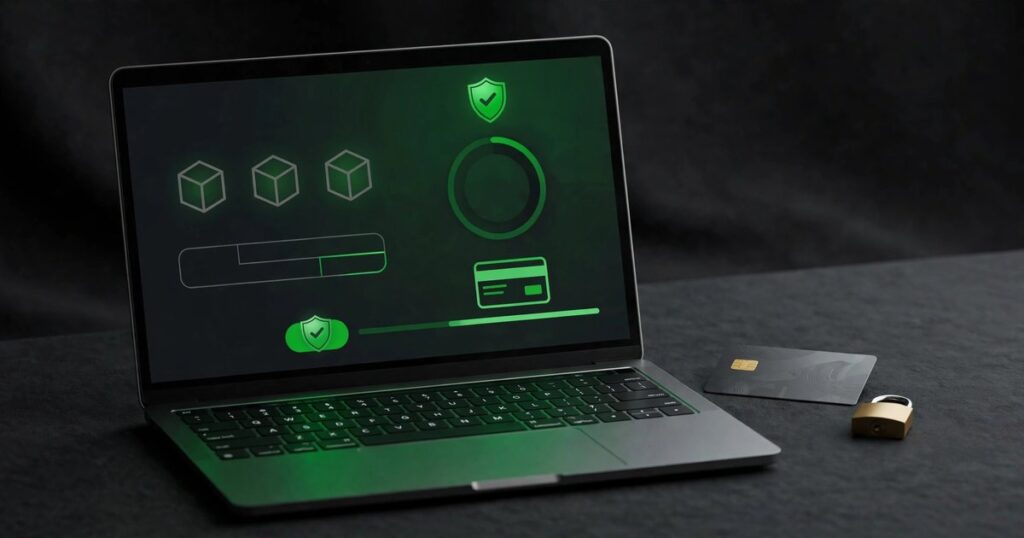
- Trust badges for Shopify stores are the small icons near the buy button or checkout that show secure payment, safe checkout, fast delivery, or an easy returns policy.
- Badges help only when they are true: show the payment methods you accept, the delivery time you can keep, and the returns terms you will honor.
- Place badges where doubt appears, on the product page near the price and at checkout near the pay button, and keep them small and easy to read.
- Test badges one at a time, watch the conversion rate, and remove any badge that adds clutter without lifting orders.
Trust badges for Shopify stores are small icons near the buy button that show secure payment, safe checkout, and clear returns terms. Use only badges you can honor, place them where doubt appears, and test one change at a time to see if orders rise.
What are trust badges for Shopify stores?
Trust badges are small icons or short labels on a store that tell a buyer the payment is safe, the checkout is secure, the delivery is reliable, or returns are simple. They sit near the price, the buy button, or the checkout, where a buyer decides whether to trust a store they have never bought from.
A new buyer has no history with your store, so they look for signs that the store is real and that their money is safe. A badge that shows Visa, Mastercard, or PayPal tells them a payment method they know is accepted. A small lock icon tells them the checkout page is secure. A line that says free returns within 30 days tells them a mistake will not cost them. None of these badges sells the product on its own, and none of them replaces good photos, a clear price, or honest delivery times. A badge that is false, vague, or hard to read does the opposite, because a buyer who spots one false claim will doubt the rest of the page.
Why do trust badges help a new store?
Trust badges help a new store because a first time buyer has no reason yet to trust it, and a clear, true badge answers the worry that stops them: is my payment safe, will my order arrive, and can I return it if it is wrong? A badge that answers one of those worries can turn a pause into an order.
Most buyers do not read every policy page before they buy. They scan the product page, check the price, and look for a sign that the store is safe. A badge near the buy button gives that sign in a second, without a click. A secure payment badge lowers the money worry, a delivery badge lowers the arrival worry, and a returns badge lowers the mistake worry. Together they lower the total risk the buyer feels, and a lower felt risk makes the buy button easier to press. The effect is strongest on a new store, because an established store already has reviews to lean on, while a new store has only its page to speak for it.
Which trust badges should a Shopify store use?
Use badges for the things you truly offer: the payment methods you accept, secure checkout, the delivery time you can keep, and the returns terms you will honor. Start with payment and security badges, then add delivery and returns badges once those terms are clear on your site.
Payment badges should show only the methods you accept, such as Visa, Mastercard, American Express, or PayPal, and they should match the checkout exactly. A badge for a method you do not accept is a false claim, and a buyer who finds that out at checkout will leave. Security badges should show that the checkout uses a secure connection, with a simple lock icon and the words secure checkout. Delivery badges should state the real delivery time, not the fastest possible time. Returns badges should state the real window and the real terms, such as returns within 30 days, and they should link to the full policy. Avoid badges for awards or guarantees you do not hold, because a false badge costs more trust than no badge at all.
Where should trust badges go on a Shopify store?
Place trust badges where doubt appears: under the price or next to the buy button on the product page, near the pay button at checkout, and in the footer for the whole store. Keep them small, in one neat row, so they support the page instead of crowding it.
The product page is the first place, because that is where the buyer decides to buy. Put the payment icons and a short secure checkout note under the buy button, where the eye lands after the price. The cart page is the second place, because a buyer who sees the total may worry about the cost or the delivery, so a short delivery and returns note there helps. The checkout is the third place, because the buyer is about to pay, so the payment icons and a lock icon near the pay button give a last calm sign. The footer is the fourth place, for buyers who scroll to check the store before they buy. Do not put badges in a pop up, above the product photo, or in a large banner at the top of the page, because badges that shout feel like a sales trick.
How do you add trust badges to Shopify?
Add trust badges to Shopify with your theme settings, a small app, or a short code change, and test the result on a phone and a desktop before you publish it. The simplest path is the theme editor, if your theme offers a trust badge block, and the next path is an app that adds payment icons to the product page.
Open the theme editor and look for a block near the buy button that accepts payment icons or custom text. Many themes include a payment icons area, and you can pick the methods you accept from a list. If your theme has no such block, use a trust badge app from the Shopify App Store, and check its reviews and price. Install it, pick only the badges you can honor, set the size to small, and place it under the buy button. Then test the store on your phone: do the badges sit in one neat row, and do they cover any text? If the app adds a large banner or slows the page, remove it and try the theme path instead. For a wider check on the store, see our Shopify store audit checklist, and for the checkout side, see our guide on Shopify checkout optimization.
Can trust badges hurt a store?
Yes, trust badges can hurt a store when they are false, too many, too large, or placed where they block the product or the buy button. A badge that promises what the store cannot keep breaks trust, and a wall of badges makes a clean page look like a sales trick.
The first harm is a false claim. A badge that says secure checkout on a page that is not secure, or a returns badge for a policy the store will not honor, will be found out, and the buyer who finds it will leave. The second harm is clutter. Ten badges in a row, each with a different color and size, pull the eye away from the product and the price. The third harm is size and place. A large badge banner above the product photo pushes the photo down on a phone, and a badge that covers the buy button stops the sale it was meant to help. The fix is simple: use three to five badges at most, keep them small and in one style, and place them under the buy button.
How do you test if trust badges work?
Test trust badges for Shopify stores by adding one change at a time and watching the conversion rate for a full week, because a change that lifts orders is worth keeping, and a change that does nothing is only clutter. Do not add five badges at once and guess which one helped.
Start by writing down the conversion rate for the week before the change, then add the badges to the product page only, and wait a full week. If the rate rises and orders hold, keep the badges. If the rate stays flat, try a different place, such as the checkout, or a different set, such as returns instead of payment. If the rate falls, remove the badges at once and check whether they cover a button on a phone. Also ask a friend to buy from the store on their phone and tell you what they noticed.
| Badge type | What it promises | Use it only if |
|---|---|---|
| Payment methods | Buyer can pay a familiar way | You accept that method at checkout |
| Secure checkout | Payment details are protected | Checkout uses a secure connection |
| Fast delivery | Order arrives in the stated days | You can keep that time in practice |
| Easy returns | Return is simple within the window | Your policy honors that window |
| Money back guarantee | Refund if the product fails | You will refund without a fight |
Use the table as your honesty check before you publish a badge. If you cannot meet the condition in the last column, leave that badge out, because a badge you can honor beats a badge that looks good and breaks a promise.
Frequently asked questions
Do trust badges increase sales?
They can help, when they are true, small, and placed where doubt appears, because they lower the worry a first time buyer feels before paying. They do not replace good photos or a clear price. Test one change at a time and keep only the badges that lift orders.
How many trust badges should I use?
Use three to five badges at most, in one neat row, in a single style. More than that crowds the page and pulls attention from the product and the price. Pick the badges that answer the biggest worry for your buyers, and leave the rest out.
Are free trust badge apps safe to use?
Many free apps are fine, but check the reviews and whether the app slows your store. A good app lets you pick the icons, set a small size, and place the badges under the buy button. Remove any app that slows the page.
Should trust badges be on the homepage too?
A small row in the footer is enough for the homepage, because the homepage is for browsing, not for paying. Save the clearest badges for the product page and checkout, where the buyer decides and pays. A homepage full of badges looks like a sales pitch, not a store.
What is the most important trust badge?
The payment methods badge is often the most important, because it tells the buyer at once that they can pay in a way they know and trust. Secure checkout comes next, then delivery and returns. The right order for your store depends on what your buyers ask about most.
Trust badges for Shopify stores are a small part of a store, but they speak at the moment that matters most, when a buyer is about to pay a store they have never used. Keep them true, keep them small, place them where doubt appears, and test them like any other change. Dropship Stair builds pre built Shopify stores and offers store design and SEO services, and you can see the work at our portfolio or reach the team through contact us to talk about your store.
Sources: the Dropship Stair guides linked in this article, and Shopify theme and trust badge app settings checked during research in November 2026.